Plesk control panel containse a simple visitor statistics page. You can find the stats page on the "Websites & Domains" page, ander the statistics menu.
Webstat page is normally password protected, so that just anyone from the web cannot access them. Password protection is implemented via Plesk's
"Password-Protected Directories"
function. If you have forgotten your credentials you can reset the password via the menu
"Websites & Domains"
->
"Dashboard"
->
"Password-Protected Directories".
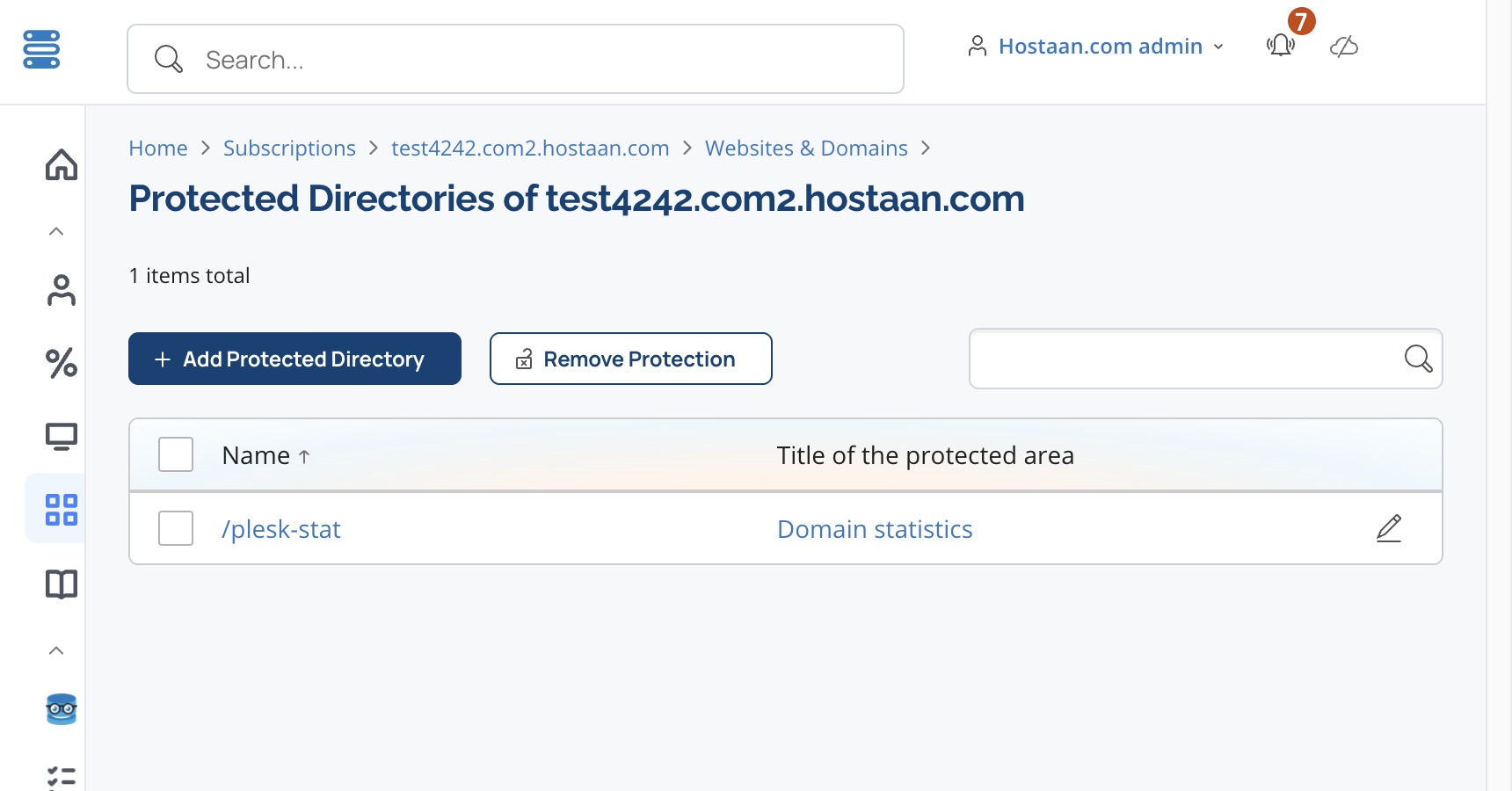
On the opening view click the webstat directory name
"/plesk-stat".
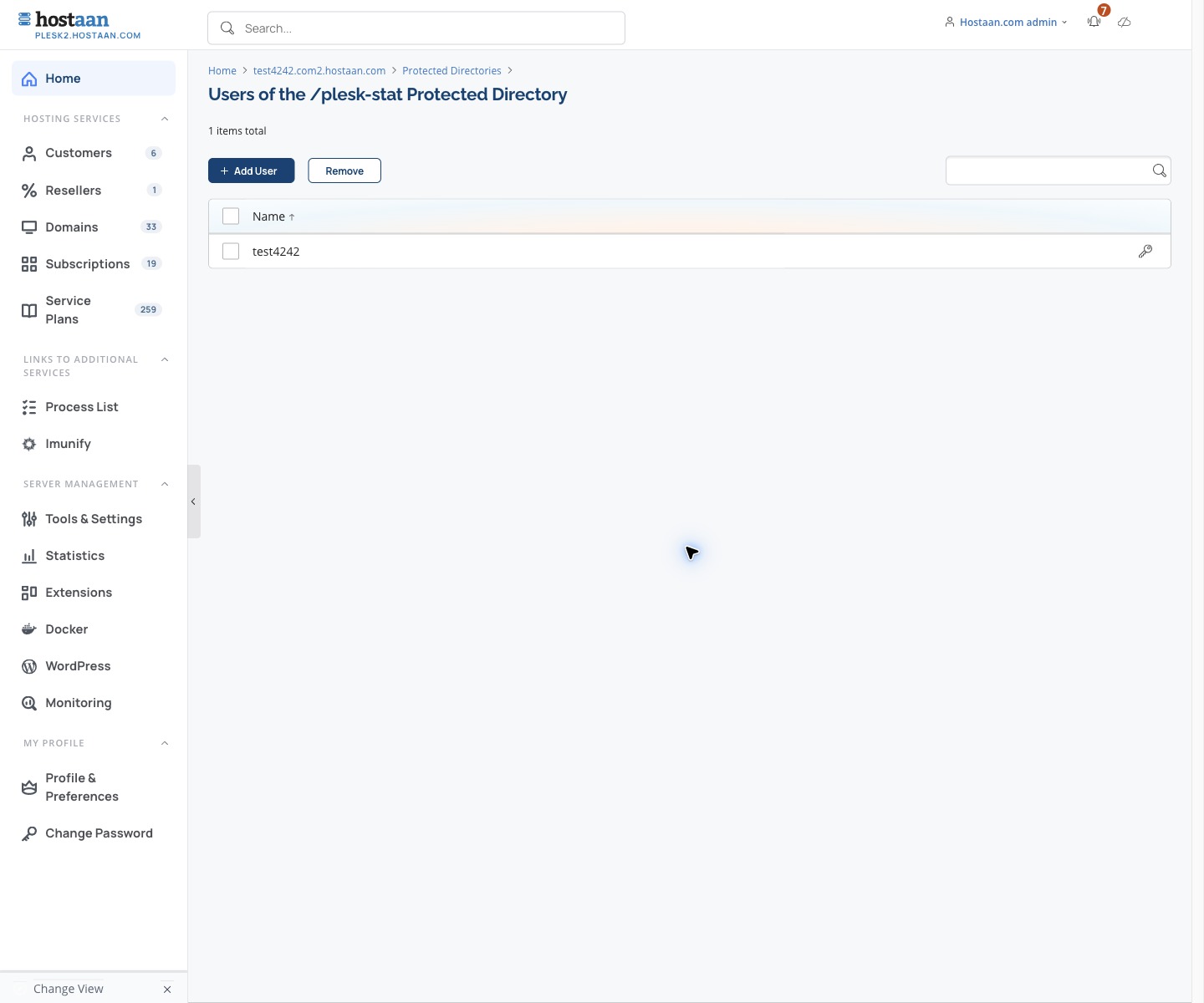
In the user view choose
the key icon
on the right for the user whose password you want to change.
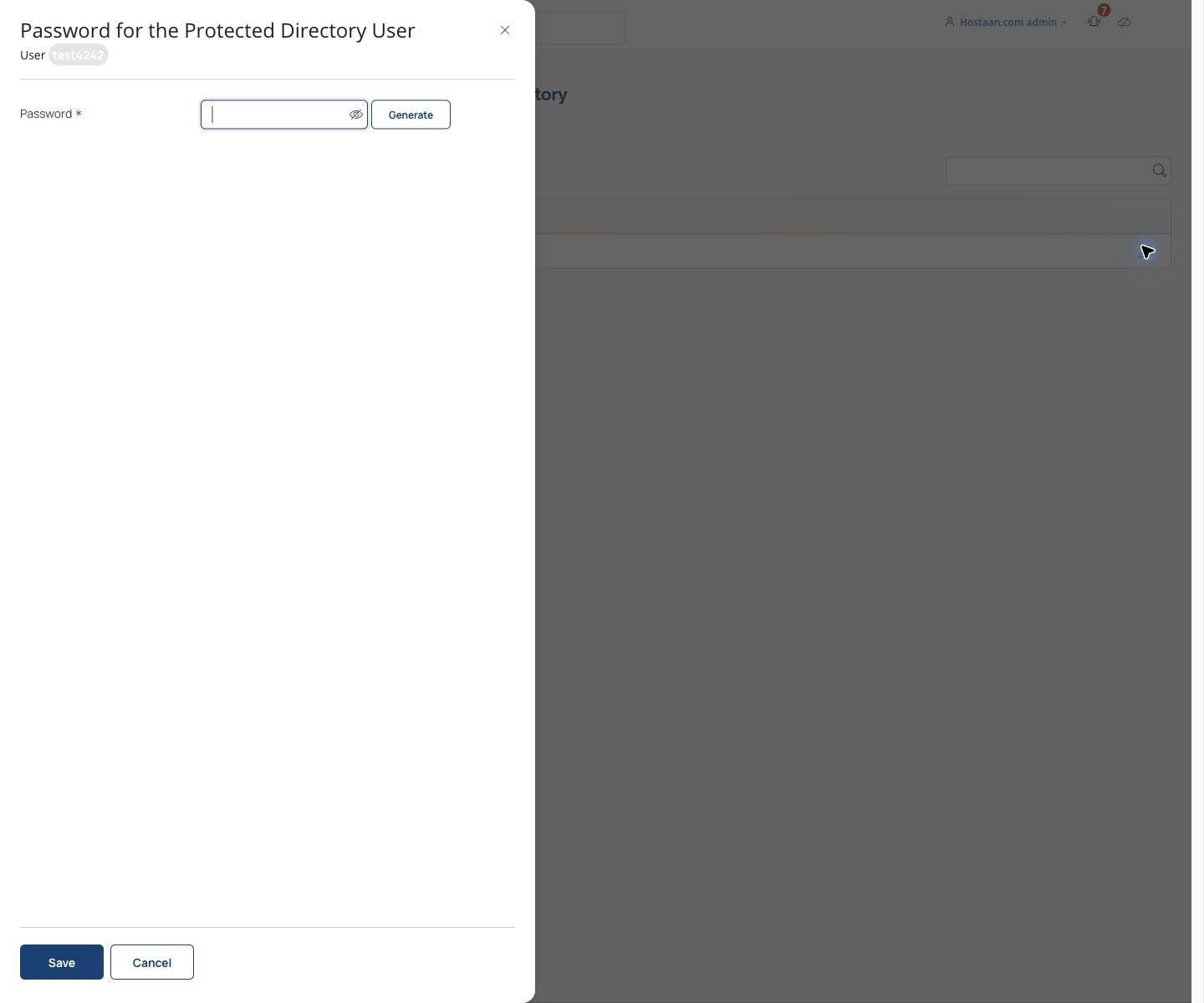
Enter the new password and finish by clicking
"Save" on the bottom of the screen. Note! Don't click the
"Generate" button unless you want to set a random password.