Hostaan plugin
Automatic optimization for every WordPress install
Every WordPress installation on our servers includes the Hostaan plugin as standard - free, with nothing for you to set up. It checks your site's settings and flags anything worth optimizing or securing.
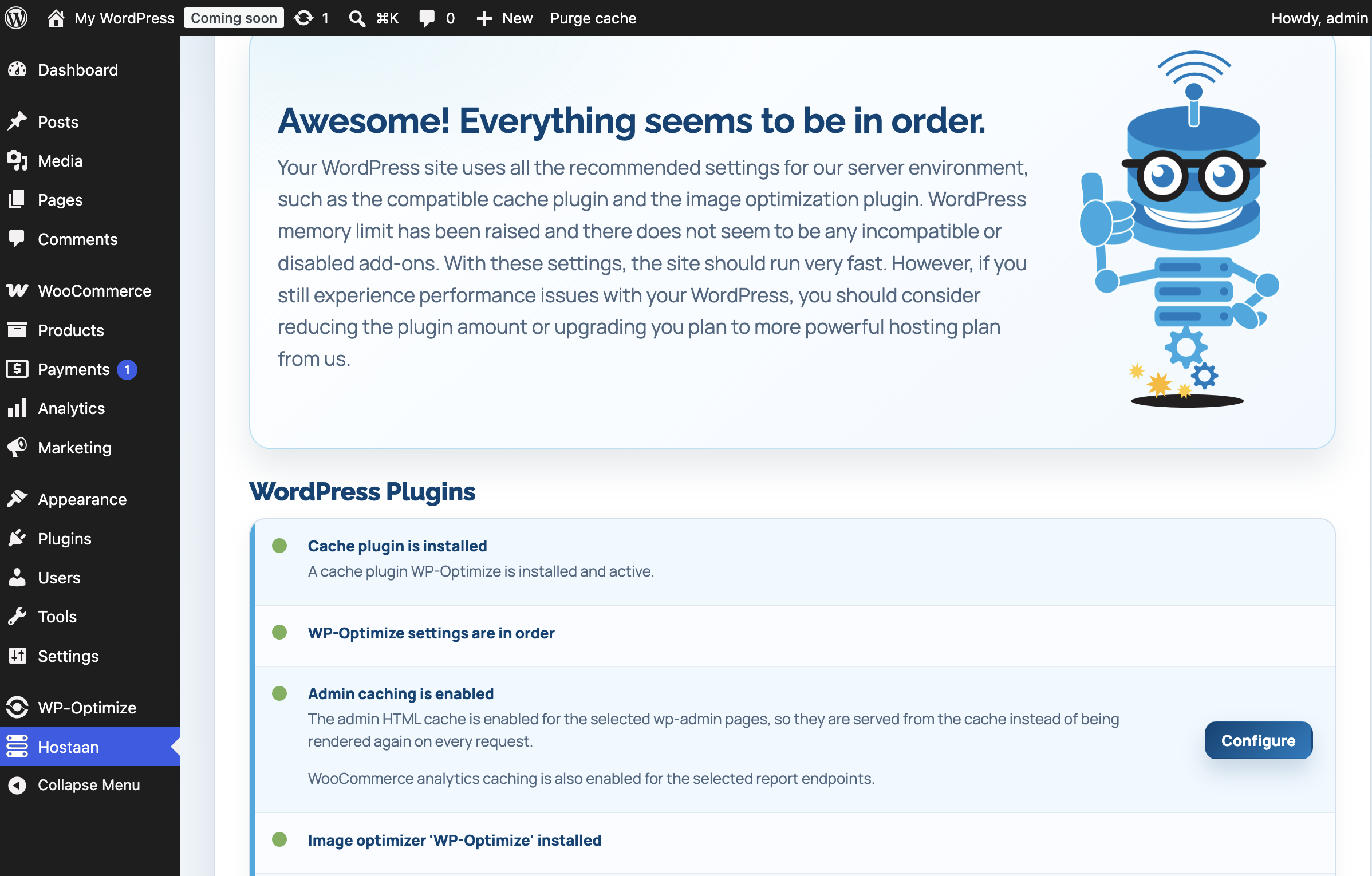
Always up to date
See your site's status at a glance
The plugin checks caching, image optimization, unused plugins and server settings - and tells you right in the WordPress dashboard whether everything's in order.
When something is off
See exactly what to fix
If a caching plugin is installed but not activated, image optimization is missing, or the site has unused plugins sitting around, the plugin lists every gap on its own line - what it means and how to fix it. Unused plugins are worth removing entirely: they don't get security updates, yet still add an attack surface.

Almost there
Small tweaks to squeeze out more speed
Your site already works well, but the plugin found a couple of minor improvements - for example in image optimization settings or WordPress's memory limits. These finishing touches get a bit more speed out of your site, without anything being broken or urgent.

Fully optimized
Everything's in order - nothing to do
Your site is using every recommended setting: caching and image optimization are active, there are no unused plugins, and memory settings are dialed in. With this setup, your site runs as fast as the server environment allows - nothing to fix, just green lights.


Right in the dashboard
Every control in one view
The plugin adds its own menu to the WordPress dashboard. From there you adjust WP_MEMORY_LIMIT and WP_MAX_MEMORY_LIMIT, check the server's access and error logs, block traffic by country or user agent, and see at a glance which optimizations are active. No separate login, no FTP - it all lives in the WordPress environment you already know.
Nginx caching
Super-fast caching technology
Hostaan servers use Nginx caching technology, which caches requests at the server level. The Hostaan plugin optimizes settings to work seamlessly with it - frontend and backend caching plus image compression make WordPress lightning fast.


What the plugin does for you
Automatic checks
Checks the caching plugin, image optimization, unused plugins and PHP settings - and tells you exactly what's worth fixing.
Nginx compatibility
Optimizes WordPress settings to work seamlessly with server-level Nginx caching.
Backend caching
Also optimizes the WordPress dashboard (wp-admin), not just the public-facing site.
Memory and debug settings
Adjust WP_MEMORY_LIMIT and WP_MAX_MEMORY_LIMIT and other wp-config settings without editing a file.
IP blocking by country and user agent
Block traffic from specific countries or known malicious user agents right from the dashboard.
Server logs
See server access and error logs right from the WordPress dashboard, no FTP needed.
The plugin is completely free and installs automatically - it never slows your site down.
See also
More technology from Hostaan
Included with every WordPress web hosting plan
The Hostaan plugin comes with every WP web hosting, SmartWP and SmartWoo plan - you can't order without it.
See our WordPress options